Dice Management
Note
You must invite the bot to your server to use the dice system. However, you do not need to set the player role for this system.
Still, you should read up the basic setup page for more information on setting up the bot.
Configuration
As per usual, all configuration commands for the dice system can be found under the /dice-config command. To take a look at your current dice configuration, you can use /dice-config info:
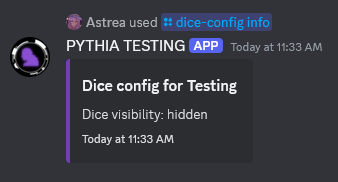
Noticably, there is only one option here: /dice-config visibility. This command allows you to toggle whether or not the results of dice rolls are visible to everyone in the server. By default, they are visible to everyone in the channel the roll was made in.
Old Visibility Setting
Before December 2nd, 2024, the visibility defaulted to "hidden" instead of "public". As such, servers that had PYTHIA before this date will have the visibility set to "hidden" unless it was changed.
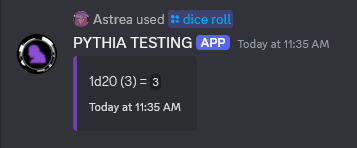
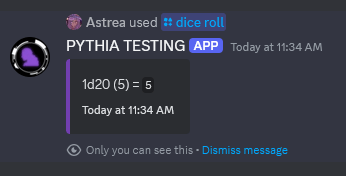
This does mean the dice system cannot be disabled through the bot - this is purposeful, because at worst, the system will not create messages in the server proper anyways. That being said, you can disable the /dice command through Discord's application command permissions (links to archive.org as page has been deleted).
Management
Also per usual, all management commands for the dice system can be found through /dice-manage.
Notably, users can manage their set of die through the /dice commands (as seen in the dice usage guide). These commands allow you to manage their dice too though, so this may be useful for roleplays where stat systems are used.
Adding/Registering Dice for Users
To register a die for a user, you can use the /dice-manage register-for:
Dice Notation
The die/dice notation supported by this bot is based on Avrae's notation, so most notation for that bot should work here. That being, said modifications have been made to the system to support a few more common dice notations (such as using ! without a number for explosions).
For a detailed list of the syntax supported by this bot, you can check the notation parser's page.
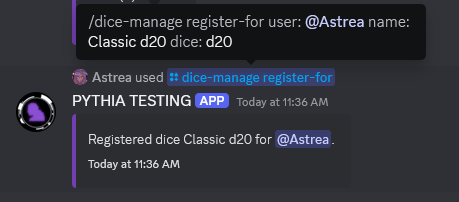
From there, the user would be able to use this die through /dice roll-registered.
Listing/Removing Users' Registered Dice
To see what dice are currently registered for a user, you can use /dice-manage list-for:
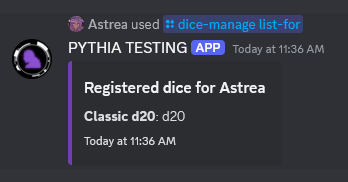
To remove a die from a user, you can use /dice-manage remove-from. This will remove the die from the user's set of die.
To clear all registered dice for a user, you can use /dice-manage clear-for. To clear every registered die for every user, you can use /dice-manage clear-everyone.
Rolling Users' Registered Die
To roll a user's die, you can use /dice-manage roll-registered-for:
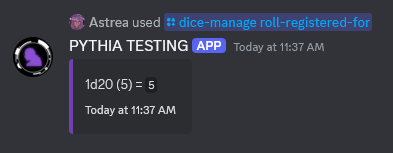
This command, by default, makes the message visible to all. If you do not want this, you can use the hidden option to make the message only visible to you.